
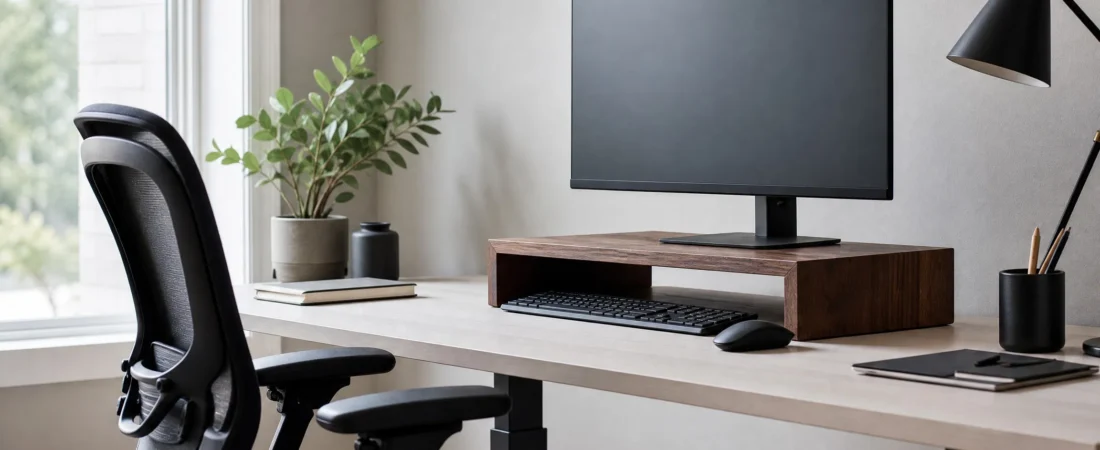
If you finish the day with a tight neck and you sit at a monitor, the screen height is the first thing to check. It takes thirty seconds and the fix is usually cheap.
The 30-second test
- Sit the way you normally sit, not the way you sit when someone is watching.
- Look straight ahead with your chin level.
- Your eye line should land in the top quarter of the screen, roughly at the top edge of the browser toolbar.
If your eyes land in the middle of the screen or lower, the monitor is too low and you are tilting your head down to compensate. Most monitors on their factory stands, on a standard 29-inch desk, come out two to four inches low for an adult of average height.
Distance and angle
Arm’s length is the usual guide: sit back, extend an arm, and your fingertips should just touch the screen. Tilt the screen back five to ten degrees so it faces your eyes rather than your chest. If you find yourself leaning in to read, the text is too small; increase the display scaling rather than moving closer.
Stand or arm?
| Monitor stand | Monitor arm | |
|---|---|---|
| Cost | Lower | Higher |
| Setup | Place it, done | Clamp, cable, adjust |
| Adjustability | Fixed height | Any height, tilt, swivel |
| Desk space | Adds a shelf; keyboard tucks under | Frees the whole desk |
| Best for | One monitor, height off by 2–4 in | Two monitors, sit-stand desks, frequent changes |
If your only complaint is that the screen is a few inches low, a stand is the simpler answer. Our walnut monitor stand raises the screen 3.5 inches, which is the right amount for most people between about 5 ft 6 and 6 ft 2, and the space underneath fits a keyboard at the end of the day.
Weight limits
Check the monitor’s weight before buying any stand; it is on the manufacturer’s spec page under “weight with stand”. A 27-inch office monitor is usually 12 to 18 lb. A 34-inch ultrawide can be 20 to 25 lb. Our stand is rated to 44 lb across the top, so any single monitor is fine, and a laptop next to a monitor is fine too.
Laptops
A laptop on a desk puts the screen far too low no matter how you sit. A folding laptop stand that lifts the screen to eye height, paired with an external keyboard on the desk, is the standard fix. Our aluminum laptop stand has six positions from a slight tilt up to a six-inch lift, folds flat, and fits 10 to 17-inch machines.
Everything else
Screen height is one part of the picture. Chair height so your forearms are level with the desk, feet flat, and a break every 45 minutes or so matter just as much. But height is the one that people most often get wrong and least often notice, which is why it is worth the 30 seconds.