
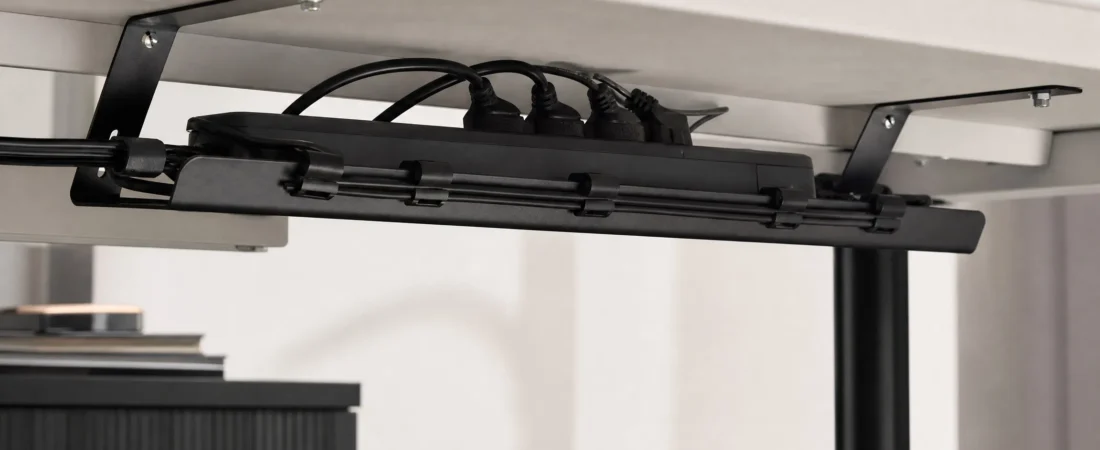
Cable management has a reputation for being fussy. It is, if you sleeve every cable and route them through a cut-out. The version below takes half an hour, needs one screwdriver, and gets you 90 percent of the way to a desk with nothing dangling.
What you need
- An under-desk cable tray wide enough for your power strip (ours is 16 in and takes a standard 6-outlet strip with room to spare).
- A power strip with a long lead, 6 ft or more.
- A pack of magnetic cable clips for the cables that come up onto the desk.
- A few velcro cable ties. Not zip ties; you will want to undo them later.
- A Phillips screwdriver. A drill makes it faster but is not required for wood desks.
Step one: unplug everything (5 minutes)
Genuinely everything. Cables that are already tangled cannot be tidied in place. Coil each one loosely and lay it on the desk. This is also the moment to throw out the two USB cables you do not recognise.
Step two: mount the tray (10 minutes)
Position the tray under the desk on the side where the wall outlet is, set back six to eight inches from the front edge so your knees clear it. Mark the four slotted holes with a pencil, start the screws by hand, then drive them in. The slots let you shift the tray an inch either way after it is up. Desks thinner than 0.75 inches should use shorter screws than the ones supplied, or the screw tips will come through the top.
Step three: the power strip goes in the tray (2 minutes)
Lay the strip in the tray with the outlets facing up. Run its lead along the underside of the desk to the nearest leg, then down the leg to the wall. Hold the lead to the leg with two velcro ties. Now there is exactly one cable going from the desk to the floor.
Step four: plug in, longest cables first (8 minutes)
Monitor, then computer, then the desk lamp, then the chargers. Plug each into the strip, take up the slack with a loose velcro loop, and drop the loop into the tray beside the strip. Do not coil cables tightly; tight coils on power leads can run warm and are a pain to undo.
Step five: clips for the cables that come up (5 minutes)
Some cables live on top of the desk: phone charger, laptop charger, a USB-C dock cable. Stick a magnetic clip base to the back edge of the desk for each one, route the cable up from the tray, and seat it in the clip. When you unplug the phone, the cable stays put instead of sliding down behind the desk. Clean the desk edge with a bit of alcohol before sticking the base; the adhesive holds much better on a clean surface.
What to leave alone
Do not sleeve cables that you change often. Do not route the monitor cable through the tray if the monitor is on an arm you move around. And do not cut anything to length; the next desk will be a different size.
Maintenance
Once a year, or whenever you add a device, take the strip out of the tray, dust it, and put it back. Because everything is held with velcro rather than zip ties, adding one more cable is a two-minute job rather than starting over.
See the full cable management range, or ask us anything at support@mkeypro.com.